RiseGuide Team
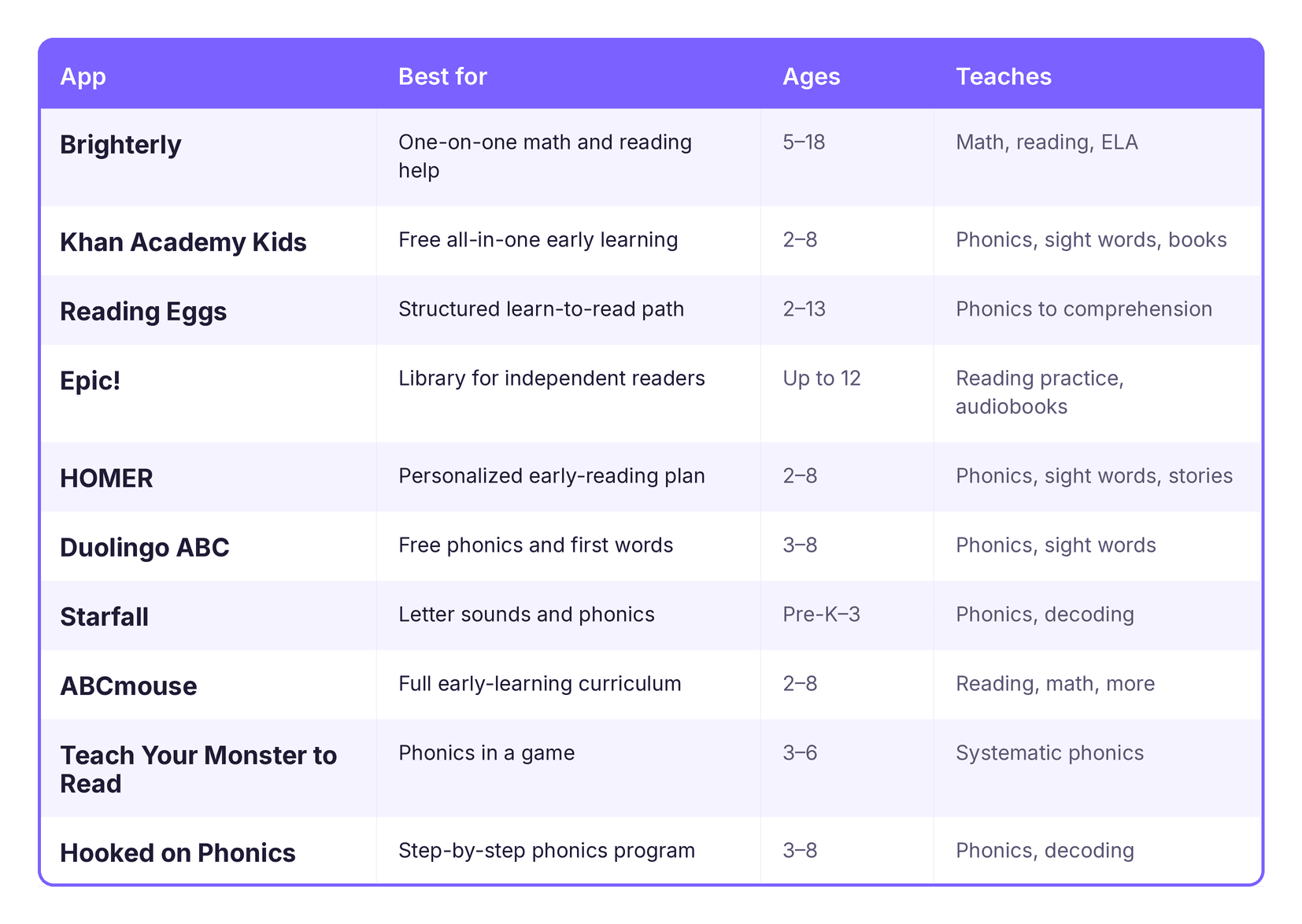
If you want the shortlist, here are the ten reading apps for kids in this guide and what each one is best for:
The right pick depends on your child's stage. For learning letters and sounds, start with a phonics app such as Starfall, Duolingo ABC, or Teach Your Monster to Read. For a guided path, Reading Eggs, HOMER, or the free Khan Academy Kids work for most children. For a child who already reads, Epic! has the largest library, and Brighterly adds one-on-one help when an app is not enough.
Children learn to read in stages, from recognizing letters and their sounds to reading full sentences, and a reading app can help at each stage. There are hundreds of reading apps for kids, and they are not all the same. Some teach phonics, some guide a child through a full learn-to-read program, and some are libraries of books for practice. The apps to help kids read generally fall into these three types. This guide explains what each type does and compares ten of the main options, so you can choose the one that matches your child's age and reading level.
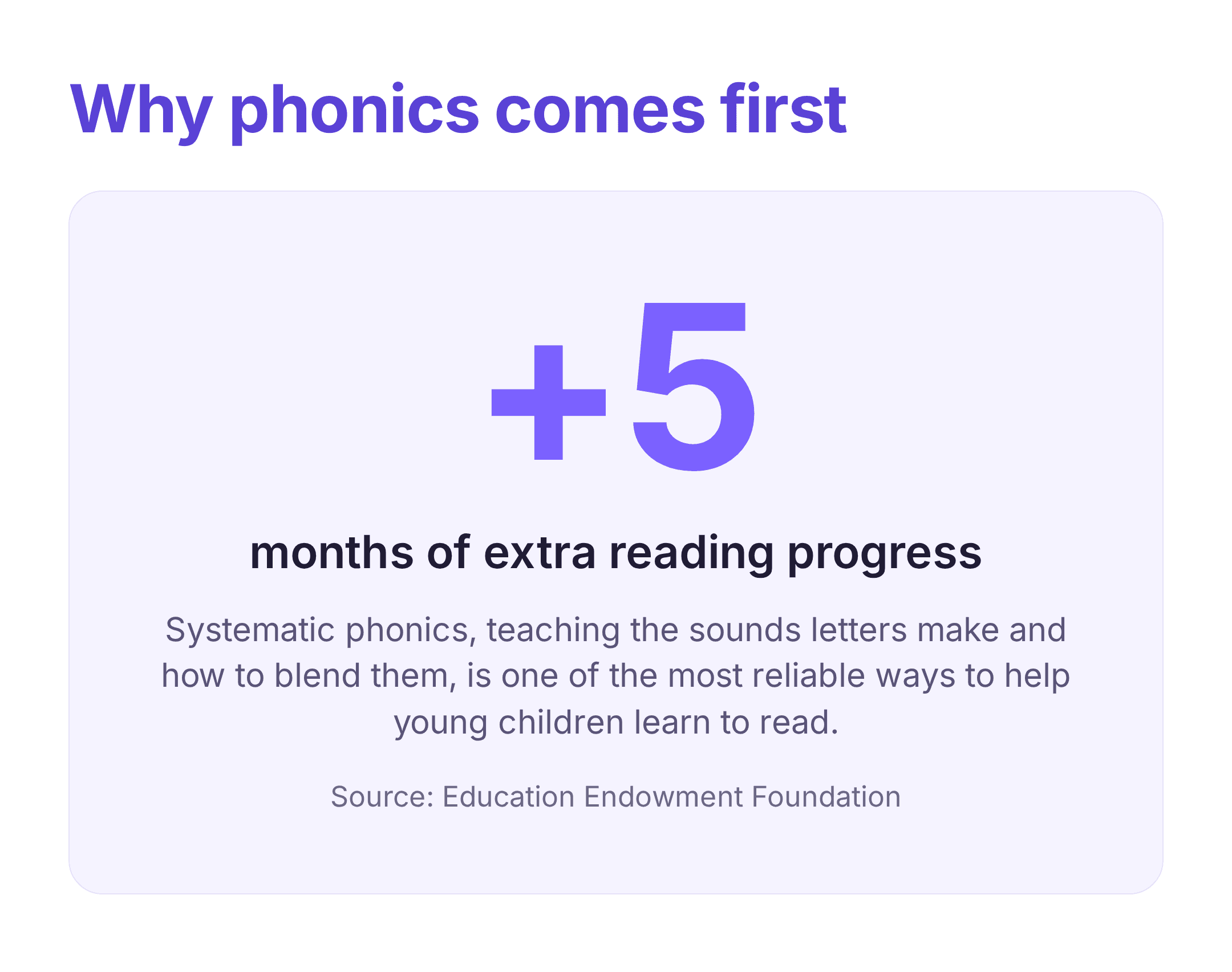
Match the app to your child's stage first, because most apps are built for one part of learning to read. A child who is still learning letters and sounds needs phonics. A child who can sound out some words needs decoding and sight-word practice. A child who already reads needs reading volume and comprehension. Most good reading apps for kids focus on one of these three jobs rather than all of them. Phonics matters most for beginners. Teaching children the sounds that letters make, and how to blend those sounds into words, is one of the most researched parts of early reading. The Education Endowment Foundation reports that systematic phonics adds about +5 months of reading progress on average, based on a large body of evidence, so for beginners the phonics apps for kids are the priority. For older children who can already decode, the focus moves to comprehension and practice, which is where reading comprehension apps for kids and book libraries are more useful.
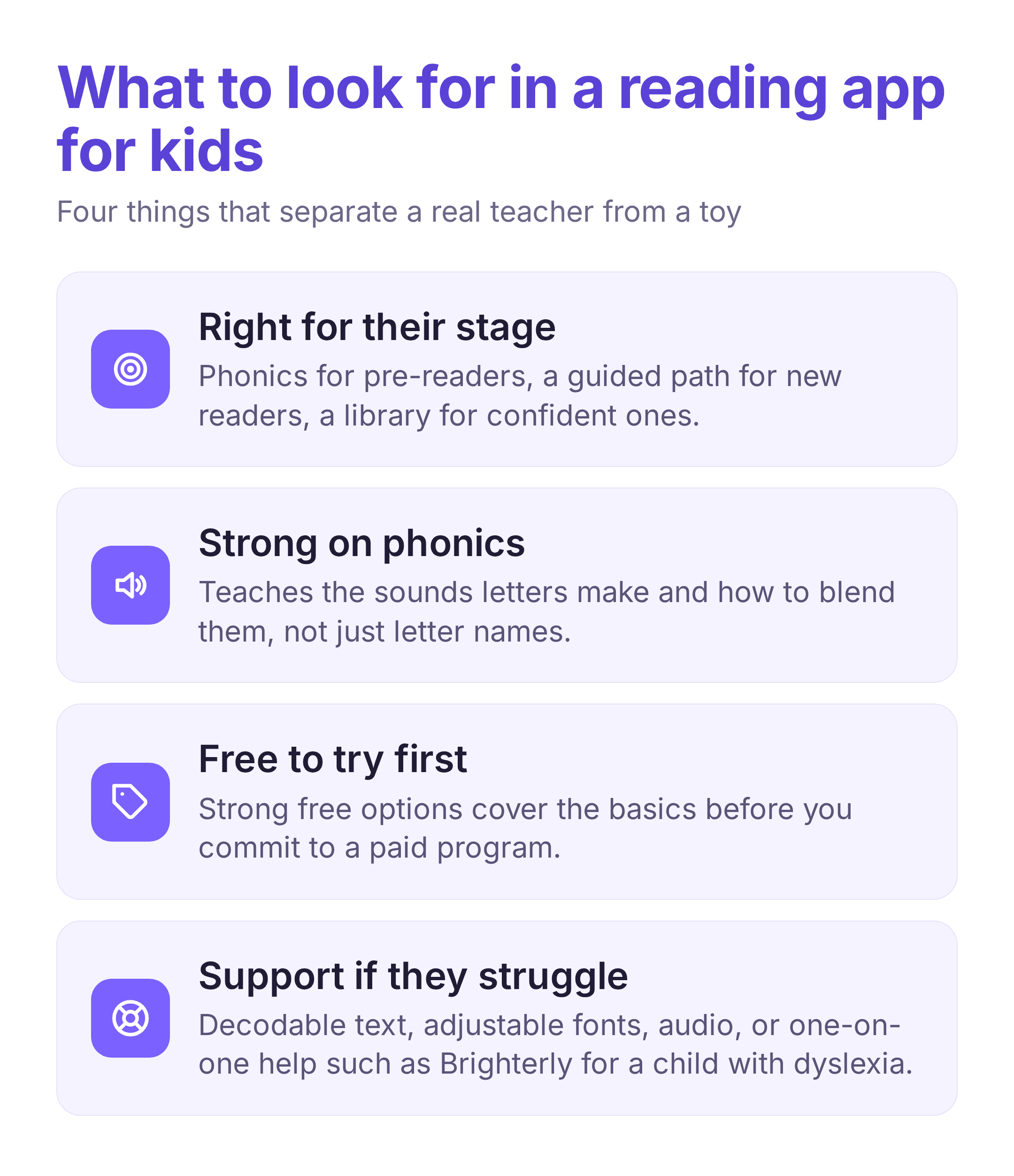
A few other points to consider. Age range: some apps are made for ages 2 to 8, while others continue into the middle grades. Cost: several free reading apps for kids cover the basics, so you can try one before committing to a larger program. Extra support: if your child has dyslexia, look for reading apps for kids with dyslexia features such as decodable text, adjustable fonts, and audio, or consider one-on-one help. For the youngest children, learning to read apps that use pictures, audio, and spoken instructions are easier to use than apps that assume a child can already read.
Best for: a child who needs a tutor's help along with daily reading practice. Brighterly is an online learning platform for kids in grades K–12. It combines live 1:1 reading lessons and self-paced reading practice in one place. A professional tutor leads each lesson, so a child can ask questions, work through what they find hard, and focus on the skills that need the most attention. The curriculum follows US educational standards. Parents get monthly progress summaries and reading session reports that cover reading time, accuracy, and pronunciation scores. Strengths:
Best for: free early learning for ages 2 to 8. Khan Academy Kids is a free app from the nonprofit Khan Academy, with no ads. It covers early reading, including letter names and sounds, phonics, sight words, and a library of leveled books and read-aloud stories, alongside math and other early-learning activities. An adaptive path adjusts the activities to the child's level, and the app is designed for children who cannot yet read on their own, using characters and spoken instructions. Because it covers several subjects, reading is one part of a broader program rather than a dedicated reading course. Strengths:
Best for: a child who learns well from a clear, step-by-step sequence. Reading Eggs is a structured learn-to-read program. A child takes a placement check, then works through lessons that move from letter sounds to blending, sight words, and early comprehension, with a short game after each lesson. The app tracks progress and gives parents reports on which skills are secure. It covers a wide age range: Reading Eggs Junior for toddlers, Reading Eggs for the early-reading years, and Reading Eggspress for older children working on comprehension, with a library of leveled e-books. Strengths:
Best for: a child who can already read and needs more to read. Epic! is a digital library for children up to about age 12, with more than 40,000 books, plus audiobooks, read-to-me titles, and short videos. It is made for reading practice rather than teaching reading, so it suits a child who can already decode. Read-to-me and audiobook modes highlight the words as they are read, which helps younger children follow along with books above their independent level. Some titles include short comprehension quizzes, and the app keeps a reading log. Strengths:
Best for: ages 2 to 8, when you want the app to adjust to the child. HOMER builds a reading pathway based on a child's age and interests, which it sets up through a few questions at the start. The lessons cover letter sounds, phonics, sight words, and early stories, and the content is themed around topics the child likes, which can help keep a reluctant reader engaged. It is an early-years app, strongest from pre-K through the first couple of school years, and is part of the Begin family of learning apps. Strengths:
Best for: free phonics and early reading for ages 3 to 8. Duolingo ABC is a free, ad-free early-reading app from Duolingo. It uses short lessons that move through letters, sounds, sight words, and simple stories. The short format suits young attention spans, and a child can follow it with little help. It covers foundational reading only, and its library is smaller than those of longer-established programs, though the core phonics teaching is sound. Strengths:
Best for: the youngest beginners working on letters and sounds. Starfall is one of the older early-reading programs and focuses on phonics. Children work through letter sounds, blending, and simple decodable stories, with songs and short games. It has been used in classrooms for many years. The interface is older than those of newer apps, and the content is aimed at pre-K through the early grades, so it works as a starting program rather than one a child continues with for years. Part of the content is free. Strengths:
Best for: reading inside a broader learning plan for ages 2 to 8. ABCmouse is a broad early-learning curriculum with thousands of activities across reading, math, art, and science, arranged on a step-by-step path. Its reading content covers letters and sounds, phonics, sight words, and leveled books. It suits families who want one app for several subjects rather than reading alone. Because it covers so much, reading is one part of a larger program, and a child who needs focused phonics may progress faster with a reading-only app. Strengths:
Best for: ages 3 to 6 who prefer a game to a lesson. Teach Your Monster to Read teaches phonics through a game. A child creates a character and moves through a game world where the tasks are phonics activities: matching letters to sounds, blending, and reading first words and sentences. The content follows a systematic synthetic phonics sequence. It suits children who are reluctant to use a lesson-style app, and it works best alongside a structured program or school phonics. It covers early reading and does not include comprehension for older children. Strengths:
Best for: a clear, sequential phonics program for ages 3 to 8. Hooked on Phonics is a long-established phonics program, and the app follows the same method in a set sequence. A child moves through leveled lessons that pair short teaching with practice, decodable e-books, songs, and rewards, from pre-K through about second grade. The sequence is predictable, so parents can see where a child is and what comes next. It focuses on reading rather than covering several subjects. Strengths:
If you are looking for reading apps for adults rather than children, our team's post on the best apps for reading covers e-readers, audiobooks, and tracking tools. For learning tools beyond reading, our team's post on the best apps for learning looks at a wider range.
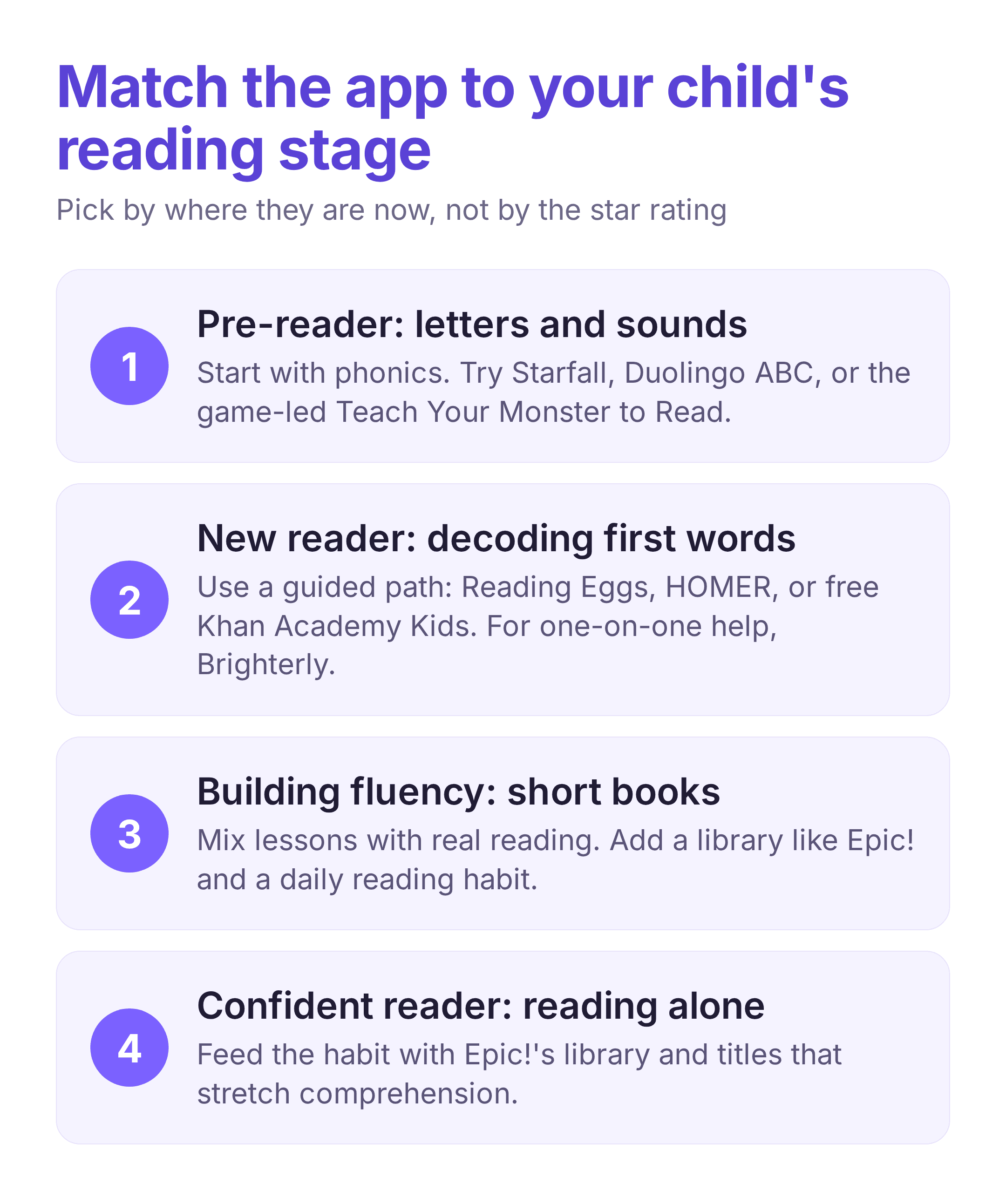
The right app depends on your child's stage. For a child who is still learning letters and sounds, a phonics app is the best starting point: Starfall, Duolingo ABC, or Teach Your Monster to Read, or Hooked on Phonics for a tighter sequence. Several of these are free, so you can start without committing to a larger program. For a child who can decode a little and needs a guided path, Reading Eggs, HOMER, and ABCmouse each move through lessons in order, and ABCmouse adds other subjects. Khan Academy Kids also fits here and is free. For a child who already reads, the need is reading volume and comprehension, and Epic! is the main option for its library and read-along features. A child who needs more support than an app provides, including help with dyslexia, may do better with one-on-one tutoring such as Brighterly. In most cases it is best to choose one reading app for kids that matches your child's current stage, use it for a few weeks, and move to another only when the child is ready for the next stage. Reading on an app works best alongside regular reading of printed books, and our team's post on building good habits can help set a daily routine.
The best reading app is the one that matches your child's reading stage and that they will use regularly. Decide first whether your child needs phonics, a guided program, or a library, try a free option where one fits, and use the app as a support for regular reading rather than a replacement for books.
There is no single best app, because the right one depends on your child's stage. For learning letters and sounds, a phonics app such as Starfall, Duolingo ABC, or Teach Your Monster to Read works well. For a guided path, Reading Eggs, HOMER, and Khan Academy Kids suit most children. For a child who already reads, Epic! gives the largest library to practice in.
Yes. Khan Academy Kids and Duolingo ABC are free with no ads, and Starfall offers part of its content free. These free reading apps for kids cover letters, sounds, and early reading, so they are a good place to start before a larger program.
They can, when they teach phonics in a clear sequence. The apps to help kids read are most useful for letter sounds, blending, and sight words, and they work best alongside reading real books. For older children, reading comprehension apps for kids and book libraries matter more than phonics drills.
Look for reading apps for kids with dyslexia features such as decodable text, adjustable fonts, and audio support. Reading Eggs and Hooked on Phonics use structured, decodable lessons, and one-on-one tutoring such as Brighterly can add help that a general app cannot.
Many learning to read apps start at ages 2 to 3 with letters, sounds, and simple activities, then move into phonics around ages 3 to 5. Khan Academy Kids, HOMER, and ABCmouse are built for ages 2 to 8, while Reading Eggs continues into the older grades.