RiseGuide Team
To plan your day well, pick the app that matches how you think about time. For a visual timeline of your day, use Structured. For managing tasks and to-do lists, use Todoist, TickTick, or Microsoft To Do. For scheduling around events, use Google Calendar or Notion Calendar. To plan each day on purpose by pulling your tasks into it, use Sunsama, and to have your schedule built for you automatically, use Motion. For a simple planner with good reminders, use Any.do. The real question is whether you plan by task list, by calendar, or by blocking out time.
"Planning your day" means different things to different people. Some live inside a to-do list and just want to know what's next. Some plan around a calendar full of meetings. Others block out their hours and protect them. The right app is the one that fits how your brain already handles time, because an app that matches how you already work is one you'll keep using, and one that fights your habits is one you'll stop using. This guide covers the best apps for daily planning in 2026, grouped by how they help you plan, so you can match one to the way you actually work instead of forcing yourself into someone else's system.
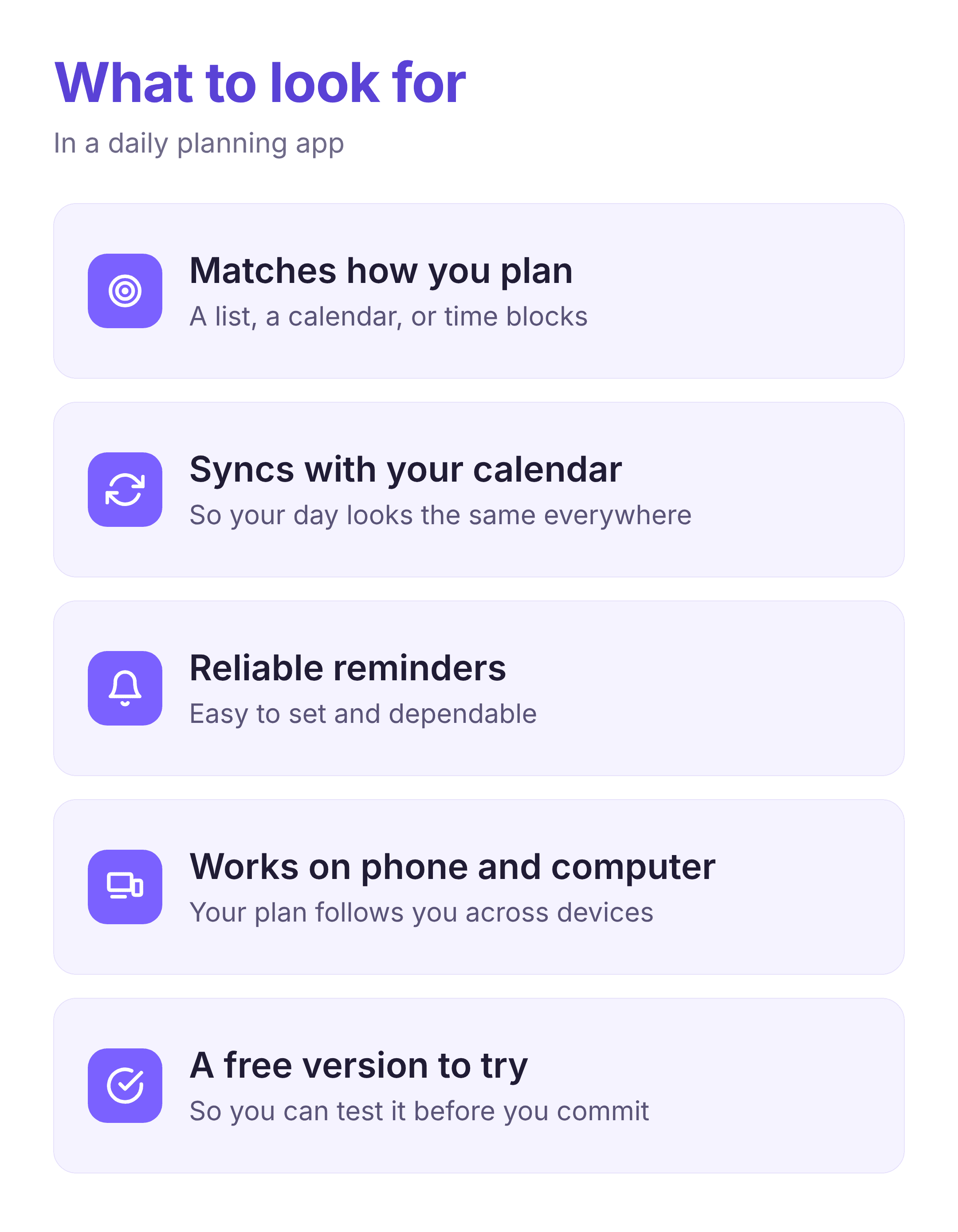
A good daily planner app does one job above all: it gets everything you need to do out of your head and onto something you'll actually look at. Beyond that, the right features depend on how you plan. If you think in tasks, you want quick capture, priorities, and a clear "today" view. If you think in time, you want a calendar you can block out and sync with the one you already use. If reminders are the point, make sure they're reliable and easy to set. A lot of people only need a free daily planner app to start, so it's worth trying one and checking that the planning app syncs across your phone and computer so your day looks the same everywhere. For most people, the deciding factor is simply whether you plan by list, by calendar, or by a day planner laid out as a timeline.
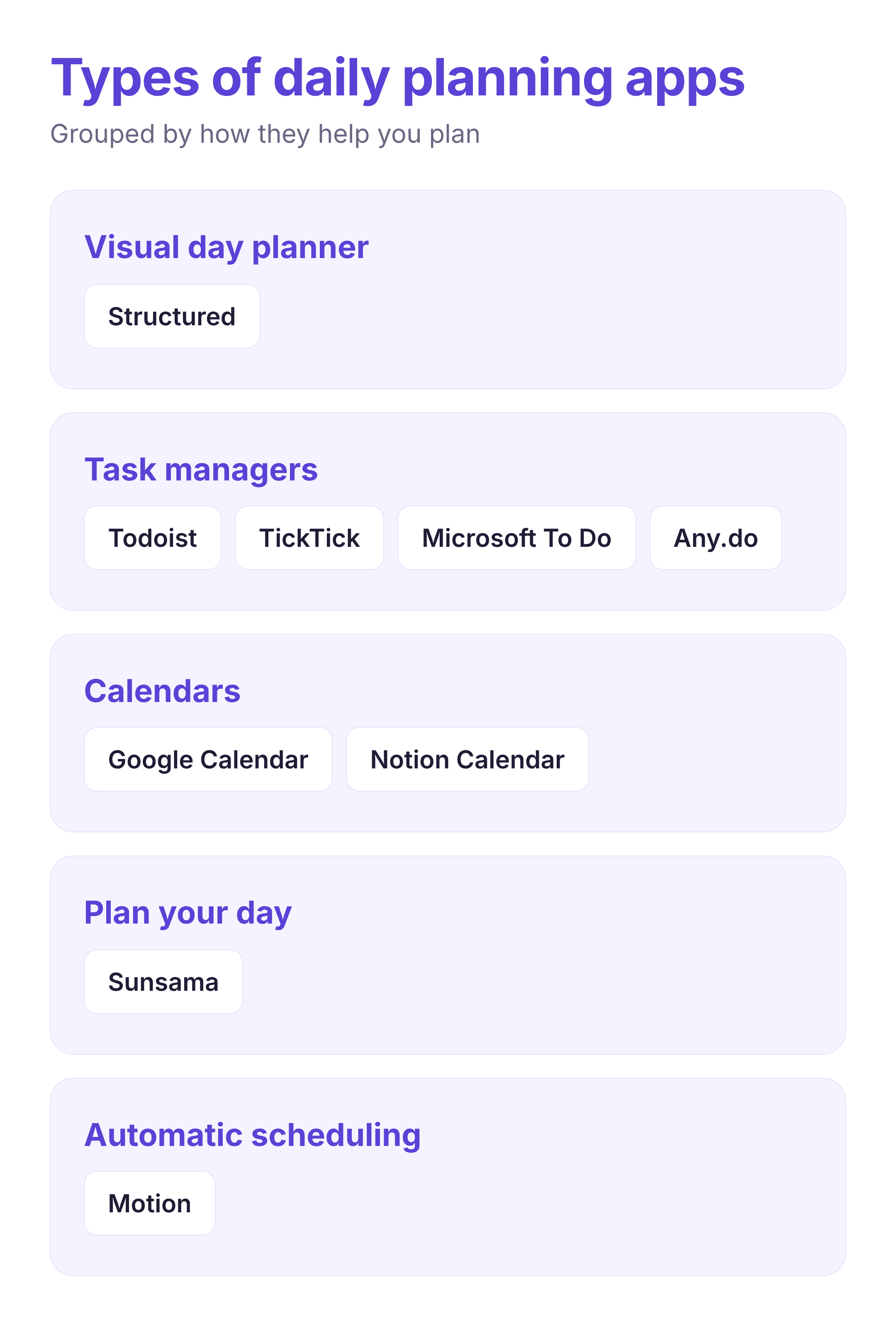
These are grouped by how they help you plan: a visual day timeline, task management, calendar scheduling, guided daily planning, and automatic scheduling. The order isn't a ranking, because the best one depends on how you think about your day.
Platforms: iOS, Android, macOS, web
Best for: people who think in "what's next"
Structured lays your tasks and events on a single vertical timeline, so your day reads top to bottom like a schedule instead of a flat checklist. You add a task, give it a duration, drag it into a time slot, and set a reminder, and your calendar events show up alongside your plan. It's one of the simplest ways to turn a to-do list into an actual day planner, and it suits anyone who wants to see their whole day at a glance.
Strengths:
Limitations:
Platforms: iOS, Android, web, desktop, browser extensions
Best for: people who plan from a to-do list
Todoist is one of the most established task managers, and it doubles as a daily planner through its Today view. You capture tasks in plain language ("submit report Friday 3pm" sets the date and time for you), organize them with projects, labels, and priorities, and plan your day from what's due. It's fast, reliable, and works on nearly every device, which is why a lot of people never leave it.
Strengths:
Limitations:
Platforms: iOS, Android, web, desktop
Best for: people who want one app to do most of it
TickTick combines tasks, a calendar, habit tracking, and a built-in focus timer in one place, so you can plan tasks and block them against a calendar without switching tools. If you've been stitching together a to-do app and a separate calendar, TickTick folds both into a single daily planner app.
Strengths:
Limitations:
Platforms: iOS, Android, web
Best for: planning a day around meetings and events
Google Calendar is the default calendar for a lot of people, and for good reason: it schedules events, sets reminders, handles recurring blocks, and shows your week at a glance. It isn't a task manager, but if your day is shaped by meetings and commitments, planning around a calendar you already live in is hard to beat, and it connects to almost everything else.
Strengths:
Limitations:
Platforms: iOS, Android, Windows, web
Best for: a free task list with a daily planning view
Microsoft To Do is a clean, free task app with a "My Day" view built for exactly this: each morning you pick which tasks to take on today from your wider list, so your day stays focused instead of overwhelming. It syncs with Outlook tasks and fits neatly if you already work in Microsoft apps.
Strengths:
Limitations:
Platforms: iOS, Android, macOS, web
Best for: people who already plan in Notion
Notion Calendar is a clean, fast calendar that ties into your Notion workspace, so your tasks, docs, and schedule can sit in one place. If you already keep notes and projects in Notion, planning your day in the same tool means you're not copying things between apps.
Strengths:
Limitations:
Platforms: iOS, Android, web, desktop
Best for: people who overcommit and want a realistic day
Sunsama walks you through planning each day. You pull in tasks from your other tools and your calendar, estimate how long each will take, and build a plan that actually fits the hours you have, instead of a bottomless list. It's built around doing less and finishing it, which suits anyone who ends most days with half their list untouched.
Strengths:
Limitations:
Platforms: iOS, Android, web
Best for: heavy workloads you don't want to schedule by hand
Motion uses AI to build your schedule for you. You add tasks with deadlines and durations, and it slots them into the open time on your calendar automatically, then reshuffles everything when a meeting lands or a task runs long. It suits people who have more to do than time and would rather not plan every block themselves.
Strengths:
Limitations:
Platforms: iOS, Android, web, desktop
Best for: a light, approachable daily plan
Any.do brings a to-do list, calendar, reminders, and a daily planner into one clean app. Its My Day view and dependable reminders make it easy to plan a light day without much setup, and everything syncs across your devices. It's a good starting point if bigger task apps feel like too much.
Strengths:
Limitations:
| App | Platforms | Best for | How you plan | Subscription price | Standout feature |
|---|---|---|---|---|---|
| Structured | iOS, Android, macOS, web | A visual day | Timeline and time blocks | From $2.99/mo | Your whole day on one timeline |
| Todoist | iOS, Android, web, desktop | Task management | To-do list and Today view | From $3.50/mo | Natural-language task capture |
| TickTick | iOS, Android, web, desktop | One all-in-one app | Tasks plus calendar and habits | $49.99/yr | Tasks, calendar, and focus timer together |
| Google Calendar | iOS, Android, web | Scheduling events | A calendar | Free | Reliable scheduling on every device |
| Microsoft To Do | iOS, Android, Windows, web | A free task list | My Day task picking | Free | Dedicated My Day planning view |
| Notion Calendar | iOS, Android, macOS, web | Notion users | Calendar linked to notes | Free | Ties your schedule to your Notion |
| Sunsama | iOS, Android, web, desktop | Intentional planning | A guided daily plan | From $17/mo | Realistic day with time estimates |
| Motion | iOS, Android, web | Heavy workloads | Automatic scheduling | From $19/mo | AI builds your schedule for you |
| Any.do | iOS, Android, web, desktop | A simple planner | To-do list and reminders | From $4.99/mo | Easy planning with strong reminders |
Prices are each app's entry paid plan, checked October 2026: the per-month cost on annual billing where an app offers it, and TickTick is annual only. Google Calendar, Microsoft To Do, and Notion Calendar are free, and several of the paid apps also offer a free tier.
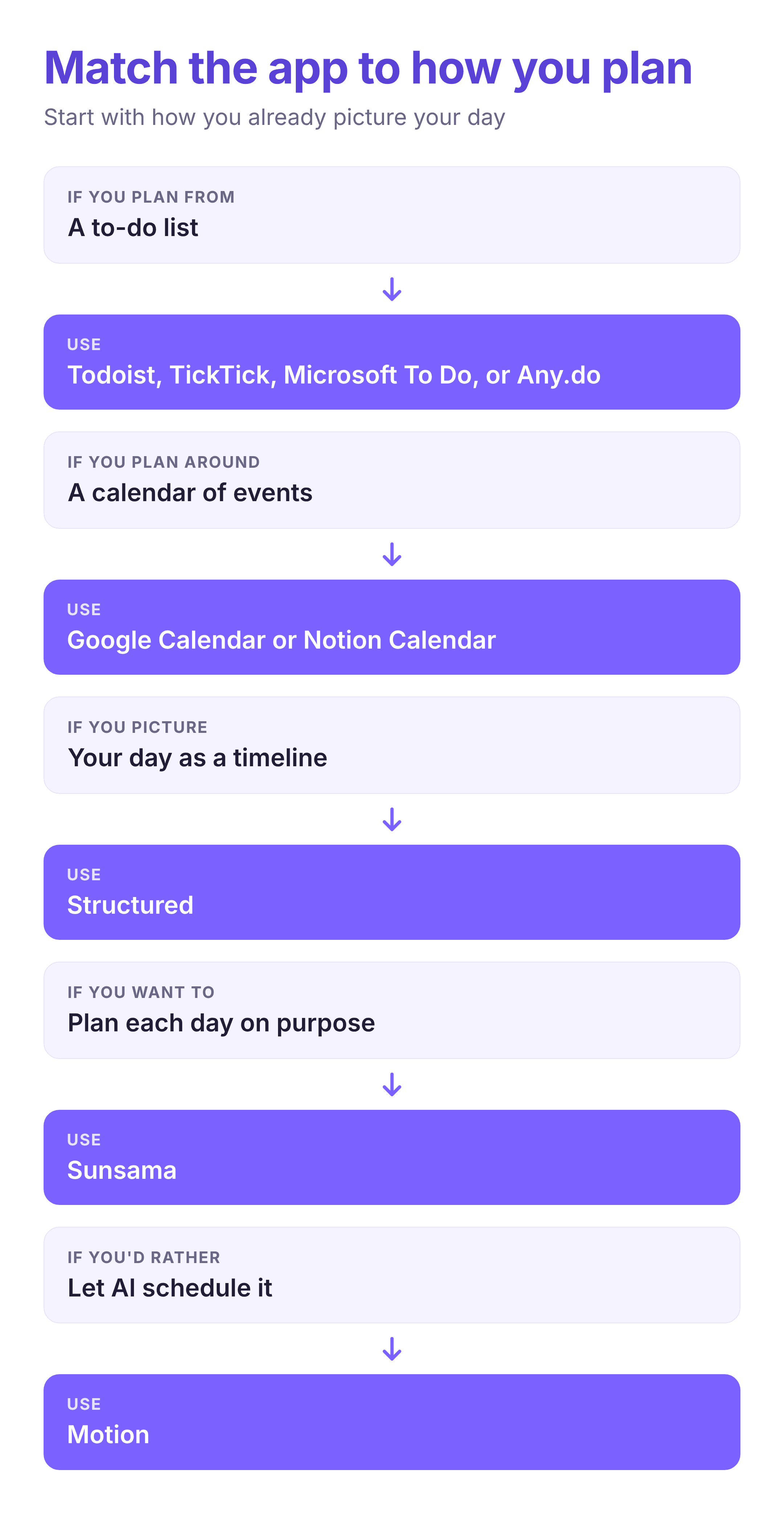
Start with how you already picture your day. If it's a list of things to get done, a task manager like Todoist, TickTick, Microsoft To Do, or Any.do will feel natural, and the choice comes down to how many features you want. If your day is built around meetings, a calendar like Google Calendar or Notion Calendar is the backbone, and you can add a light task app on top. If you want to see your hours laid out and protect them, a timeline app like Structured or a guided planner like Sunsama does more for you than a plain list.
If your problem is that you always plan more than you can finish, lean toward Sunsama or Motion, which are built to make the day realistic rather than just longer. And if you're starting from nothing, a free daily planner app like Microsoft To Do, Google Calendar, or the free version of one of the others is enough to build the habit.
Whatever you pick, the app is only half of it. Planning your day works when it connects to something bigger you're aiming at, which is why pairing a planner with clear goals helps. Our roundup of goal-setting apps is a good companion, and if your mornings set the tone, our morning routine checklist pairs well with any planner here.
There's no single best app for daily planning, because planning is personal: some people need a list, some need a calendar, and some need their whole day laid out on a timeline. Work out which of those you are, pick the app built for it, and give it two weeks before you judge it. And if you find you're planning plenty but still not getting to what matters, our post on the Pareto principle is a good next read on focusing on the few things that bring the most results.